 LocalizeASO
Figma screenshots
Figma screenshots, every language
Design once in Figma. Translate every locale. Export straight to App Store Connect.
Figma is a trademark of Figma, Inc. This plugin is not affiliated with or endorsed by Figma.
How it works
Three steps. No App Store Connect tab hopping.
Select frames in Figma
Pick your screenshot frames in the plugin.
Translate all locales
Headlines adapt to 40+ languages from your ASO keywords.
Export to App Store Connect
Every locale uploads automatically — in seconds.
All locales to App Store Connect in seconds
Hit export in Figma — every localized screenshot set goes to App Store Connect automatically.
- All 40+ locales exported in one click from Figma
- No downloading, renaming, or manual uploads in App Store Connect
- Overwrite or attach — localized sets go live instantly
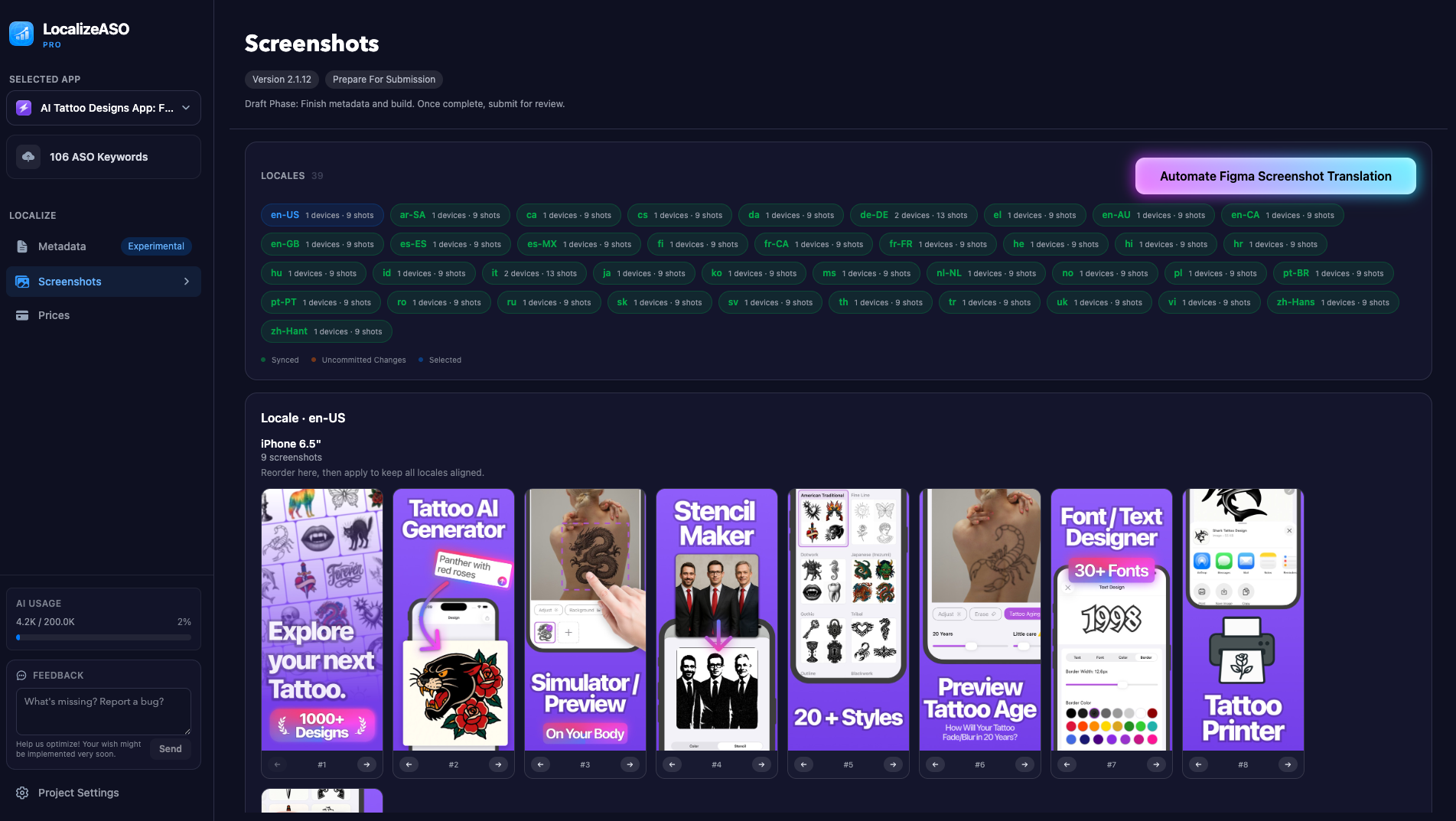
Rearrange across all localizations in seconds
Reorder slides in one locale, then apply the same order to every storefront.
- Drag or move screenshots — no App Store Connect tab hopping
- Apply order to all locales in one click
- Stay aligned when you refresh screenshot sets
Unfair advantage
They localize ~5 storefronts. You ship 40+.
Same flag map as the homepage — keyword-driven screenshots and metadata for every market.








































Localize App Store metadata
Manage all your App Store titles, subtitles, and keywords in one unified dashboard.
- Bulk create and update metadata with AI
- Validate against ASO best practices
- One-Click Push to App Store Connect
- Uses your ASO Keywords
Price right in every market
Standard App Store pricing ignores local income differences.
- Prices adapted to each country's purchasing power
- No more overpricing or underpricing
- Update all markets in one go
Import your ASO Keywords
Use your existing ASO keywords. We will use them for localization.

You don’t save time.
You delete a whole category of work.
If your time is worth even $50/hour, this pays for itself in one update.
They stop at five. You do not have to.
Import ASO keywords. Ship screenshots and metadata in 40+ languages.
Figma is a trademark of Figma, Inc. This plugin is not affiliated with or endorsed by Figma.